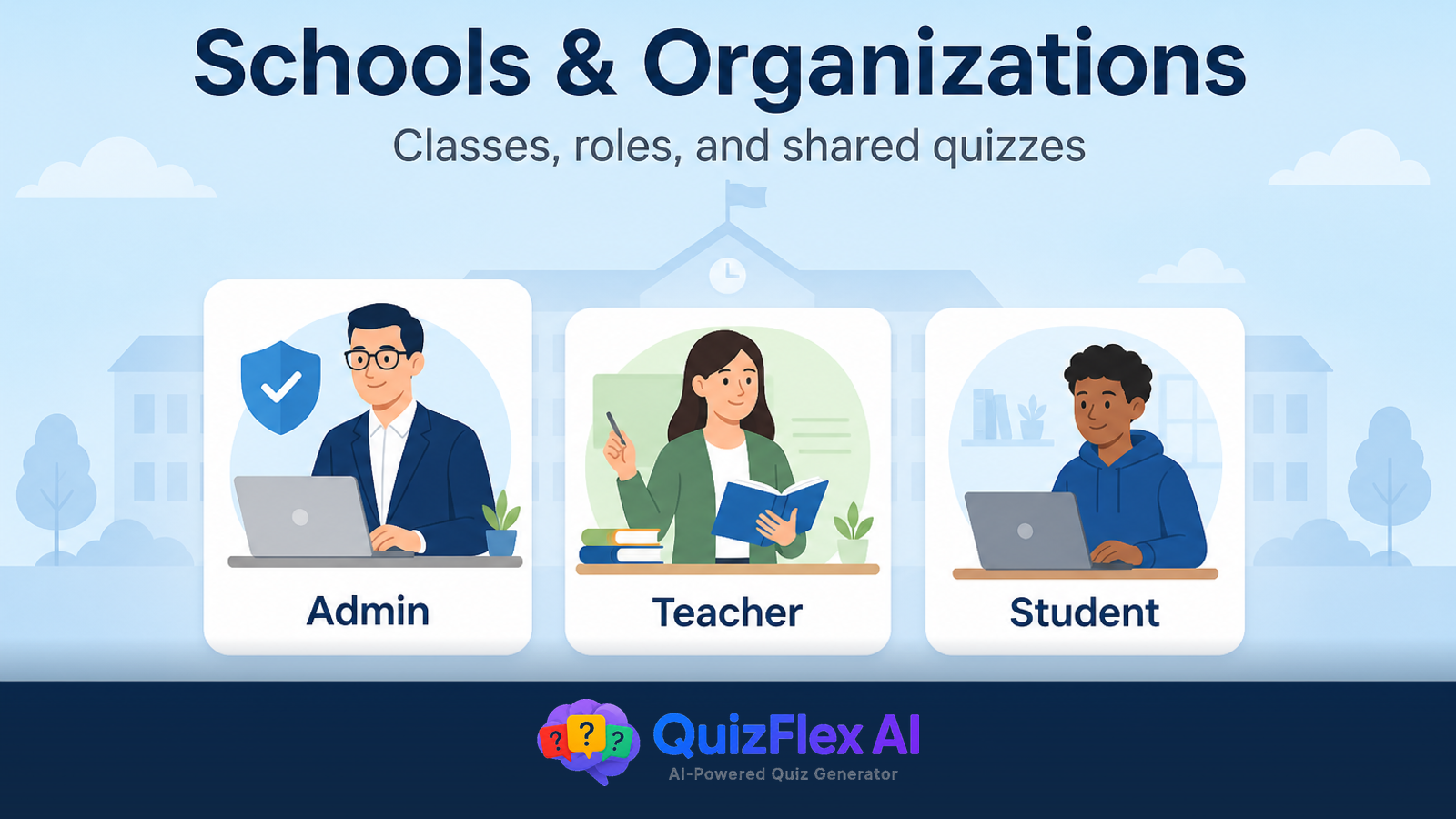
Assigning quizzes to a class should take minutes—not a chain of emailed links and spreadsheet rosters. QuizFlex lets teachers create a class, share a join PIN, assign AI-generated quizzes with due dates, and review every attempt from one dashboard.
This guide is for teachers and school admins who want a repeatable workflow from “I made a quiz” to “every student finished before Friday.”
What you need before you assign
- A QuizFlex account with teacher or organization access
- At least one quiz (from AI quiz generator, PDF upload, or your library)
- A class—or permission to create one inside your school organization
Step-by-step: assign an AI quiz to your class
- Open your teaching workspace → Classes → Create class (or pick an existing class).
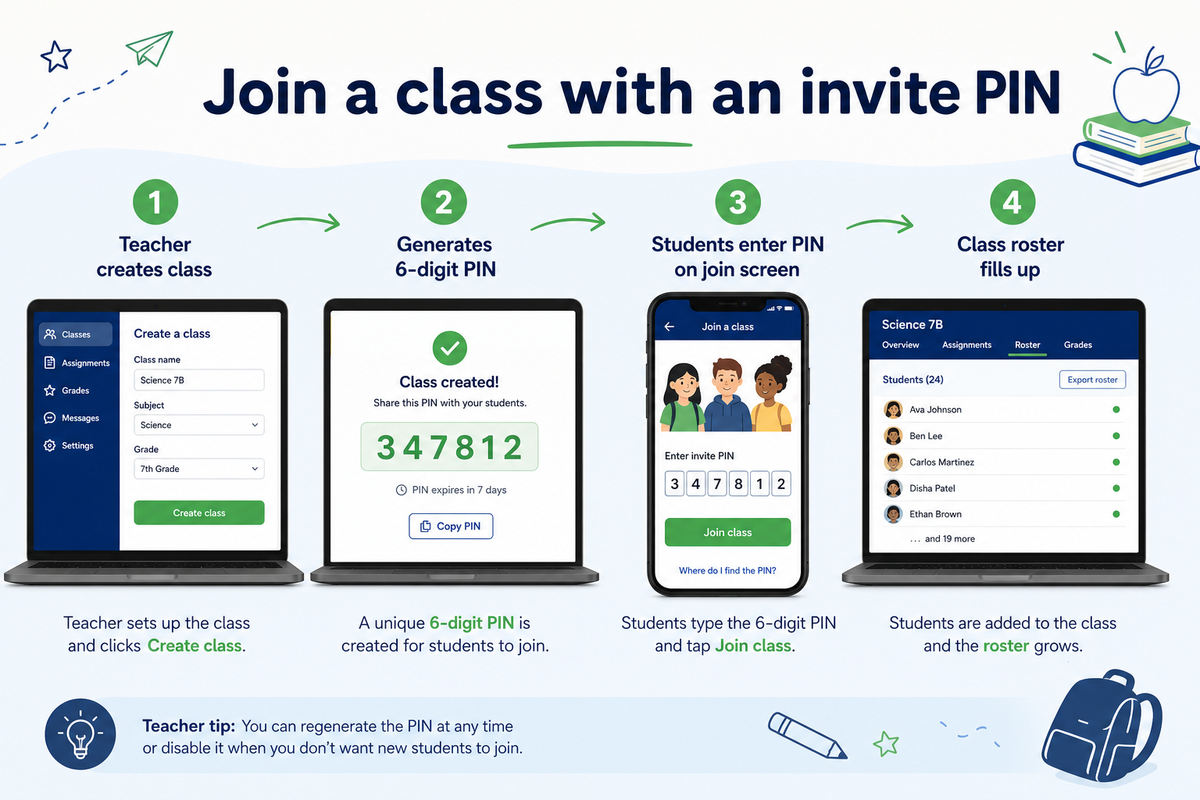
- Share the invite PIN with students—they join at quizflex.ai without a bulk email upload.
- Create or open a quiz → choose Assign to class.
- Set an optional due date so students see when work is due.
- After submissions, open Class analytics to review scores and question-level gaps.
Why teachers use class assignment instead of public links
| Approach | Best for | Privacy |
|---|---|---|
| Class assignment | Enrolled students, graded work, due dates | School-scoped |
| Share link | Quick one-off practice, tutoring | Anyone with link |
| Quiz Gallery | Open practice, SEO, community | Public |
For graded formative checks and unit reviews, class assignment keeps rosters, due dates, and analytics in one place.
Tips for better classroom quiz assignments
- Start with 10–15 questions from a PDF or topic; expand only if coverage gaps show up in results.
- Set due dates aligned to your unit calendar—not midnight the day you finished editing.
- Pair low-stakes Friday quizzes with exit tickets on the same skill.
- Use reading level on passages before assigning longer PDF-based sets.
Frequently asked questions
How do students join without email invites?
Teachers share a class PIN. Students enter it on the join screen and appear in the roster.
Can I assign the same quiz to multiple classes?
Yes—duplicate or re-assign from your quiz library to each class section.
Does QuizFlex work for schools with many teachers?
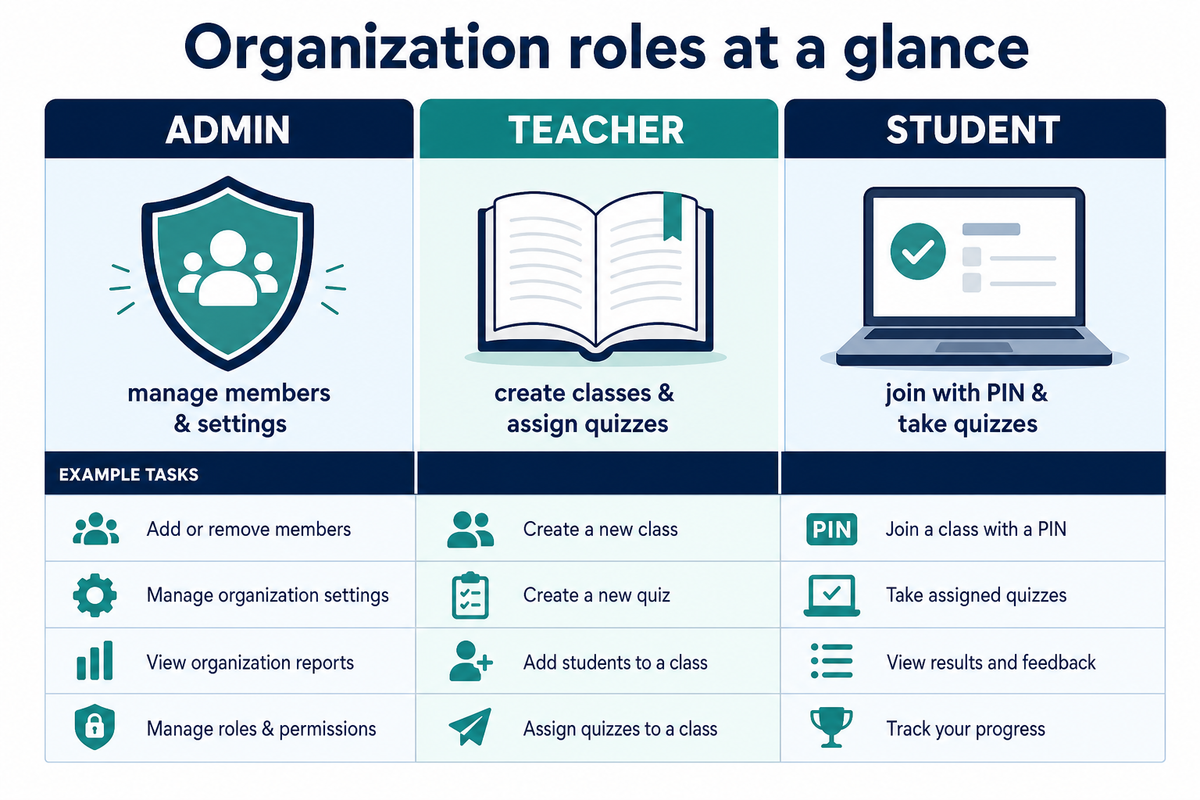
Yes. Use organizations so admins invite staff, teachers run classes, and content stays school-scoped.
Ready to assign your first set? Create a free AI quiz → assign to class → share the PIN.
Topics covered
- Teachers
- Classes
- Assign Quizzes
- Classroom
- Due Dates
- QuizFlex
- How To
- assign quiz to class online
- how to assign quizzes to students
- classroom quiz due dates
Frequently asked questions
How do teachers assign quizzes to a class in QuizFlex?
Can students join a QuizFlex class without email invites?
Does QuizFlex track student quiz progress for teachers?
Stay in the Loop
Get weekly tips on AI-powered learning, quiz strategies, and product updates. No spam, unsubscribe anytime.
Transform Your PDFs into Interactive Quizzes: A Teacher's Guide to Effortless Assessment with Quizflex
QuizFlex for Schools: Organizations, Class Roles & Shared Quizzes (2026 Guide)
Related Articles
Continue learning with these related posts
Teacher vs. Student: The Complete Guide to Classes, Quizzes, and Progress Tracking in QuizFlex
A step-by-step walkthrough for teachers and students on how to create classes, assign quizzes, take quizzes, and track progress in QuizFlex. Learn how both roles work together inside the classroom experience.
QuizFlex for Schools: Organizations, Class Roles & Shared Quizzes (2026 Guide)
Set up a QuizFlex school organization: admin, teacher, and student roles, class PINs, shared AI quizzes, and private assessments - without publishing everything to the public gallery.
Free Classroom Tools for Teachers: Picker, Exit Tickets, Rubrics & Grade Calculator
Free teacher tools in one hub: random student picker, exit ticket maker, rubric generator, reading level checker, and grade calculator - plus AI quizzes, no credit card required.