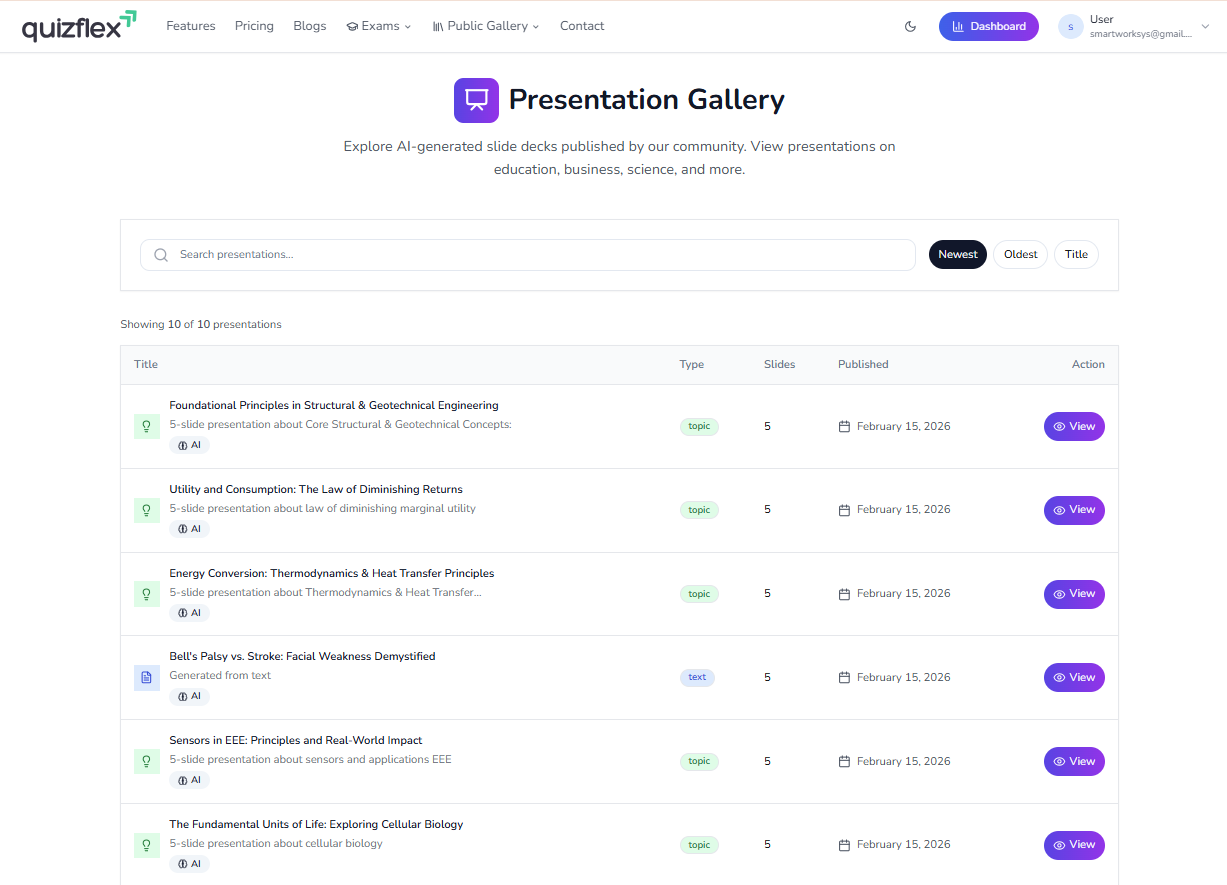
We're excited to introduce the Presentation Gallery - a new way to discover and learn from AI-generated slide decks published by the Quizflex community. Whether you're studying cellular biology, medical conditions, engineering principles, or economics, you'll find professionally designed presentations that combine clear visuals with concise explanations.
What Is the Presentation Gallery?
The Presentation Gallery is a public collection of slide decks created with Quizflex's AI presentation generator and shared by our community. Each presentation features:
- AI-generated content - Topics, explanations, and visual descriptions are crafted by AI
- Professional layouts - Tables, diagrams, illustrations, and structured bullet points
- Multiple subjects - Education, business, science, medicine, engineering, and more
- Easy navigation - Browse by search, sort by newest, oldest, or title
- One-click viewing - Click View on any presentation to start exploring
Explore Presentations Across Subjects
The gallery includes presentations on a wide range of topics. Here are a few examples of what you'll find.
Biology & Science
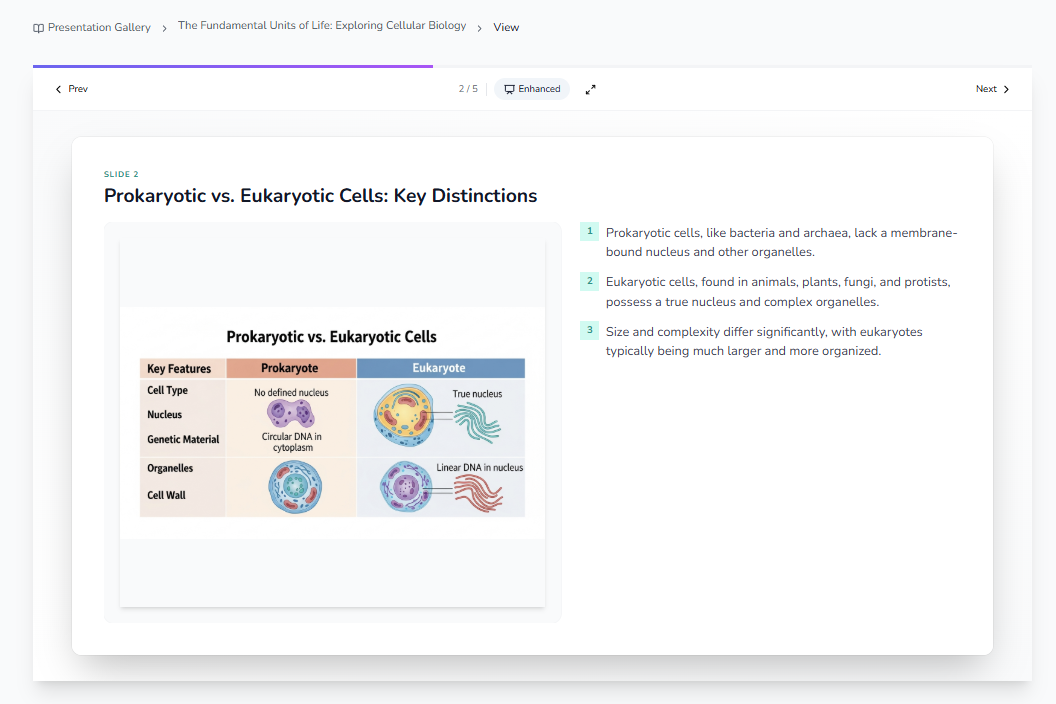
Presentations like "The Fundamental Units of Life: Exploring Cellular Biology" break down complex concepts with comparison tables and illustrations. See how prokaryotic and eukaryotic cells differ side by side, with clear visuals and numbered explanations.
Medical Education
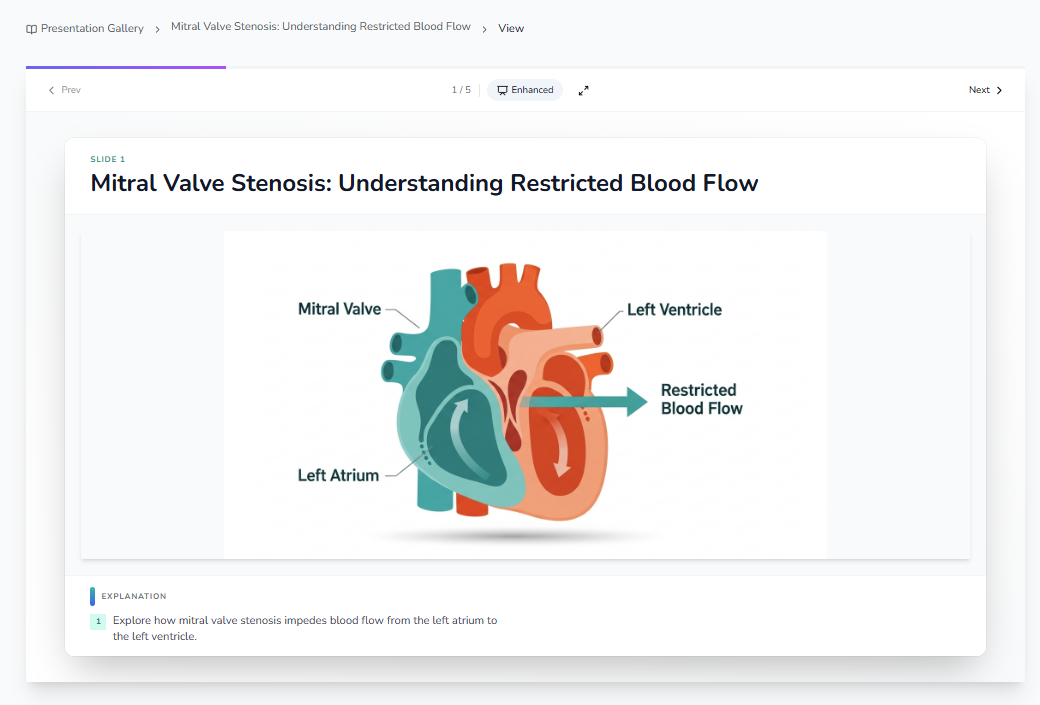
Medical topics come to life with labeled diagrams and structured explanations. "Mitral Valve Stenosis: Understanding Restricted Blood Flow" uses a stylized heart diagram to show how stenosis impedes flow between the left atrium and ventricle.
Clinical Comparisons
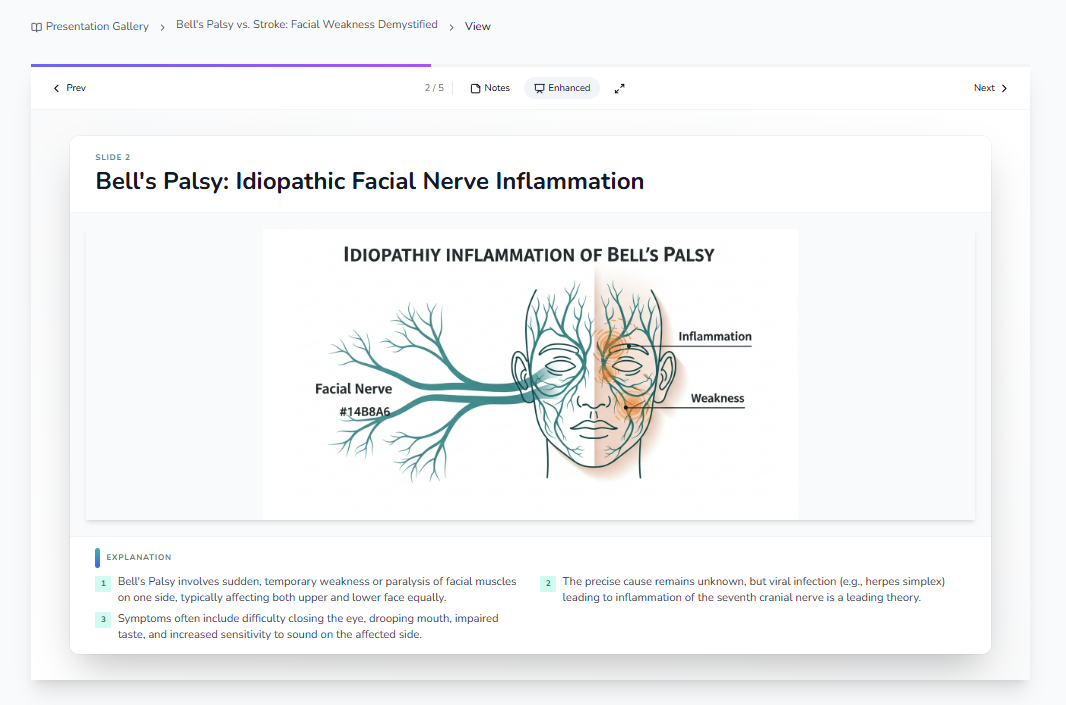
"Bell's Palsy vs. Stroke: Facial Weakness Demystified" illustrates facial nerve inflammation with diagrams showing affected regions, inflammation areas, and weakness zones. Each slide includes numbered bullet points for key takeaways.
How to Use the Presentation Gallery
- Open the gallery - Go to Presentation Gallery from the main navigation (under Public Gallery).
- Search or browse - Use the search bar to find topics, or scroll through the list. Sort by Newest, Oldest, or Title.
- View a presentation - Click the purple View button on any presentation.
- Navigate slides - Use Prev and Next to move through the deck. The slide counter (e.g., 2/5) shows your progress.
- Enhanced mode - Toggle Enhanced for optimized layouts. Use the full-screen icon for presentation mode.
Create Your Own Presentations
If you have a Quizflex account, you can create presentations from your Dashboard:
- From a topic - Enter a subject (e.g., "Prokaryotic vs. Eukaryotic Cells") and let the AI generate a full deck.
- From text - Paste your notes, article, or study material and get a structured presentation.
- Publish to the gallery - Share your best work with the community by making it public (subject to approval).
What Makes These Presentations Different?
| Feature | Description |
|---|---|
| AI-generated visuals | Diagrams, illustrations, and tables are created by AI to match the content |
| Structured explanations | Each slide includes key points in a clear, numbered format |
| Multiple layout types | Title slides, content slides, two-column layouts, diagram slides, and more |
| Professional design | Consistent typography, color, and spacing for a polished look |
| Multi-language support | Generate presentations in 25+ languages |
Get Started Today
Visit the Presentation Gallery to explore what the community has created - and consider building your own presentation from the Dashboard. Whether you're teaching, learning, or presenting, Quizflex's AI helps you turn ideas into professional slide decks in minutes.
Topics covered
- Presentation Gallery
- AI Presentations
- Slide Decks
- Education
- Business
- Science
- Medical Education
- Community
- Study Tools
- AI quiz generator
Frequently asked questions
What is Presentation Gallery: Explore AI-Generated Slide Decks from Our Community?
How do I study Presentation Gallery: Explore AI-Generated Slide Decks from Our Community effectively?
What is the best AI quiz tool for Presentation Gallery: Explore AI-Generated Slide Decks from Our Community?
How can I practice Presentation Gallery: Explore AI-Generated Slide Decks from Our Community with QuizFlex AI?
Is QuizFlex AI free for students and teachers?
Stay in the Loop
Get weekly tips on AI-powered learning, quiz strategies, and product updates. No spam, unsubscribe anytime.
Practice for Real Exams with One Click: 22 Exam Presets Now on Quizflex
The Science Behind Spaced Repetition and Quiz Learning: How Quizflex Maximizes Memory Retention
Related Articles
Continue learning with these related posts
Meet the Quiz AI Assistant: Your Personal Chatbot for Instant Quiz Feedback and Explanations
Quizflex now includes an AI-powered chatbot built into every quiz result page. Ask why an answer was wrong, get detailed explanations, and deepen your understanding-all without leaving your results. Learn how the Quiz AI Assistant works and how it helps you study smarter.
Quizflex for Corporate Training: A Complete Guide to Supercharging Employee Development
Learn about quizflex for corporate training: a complete guide and how Quizflex can help you create engaging quizzes.
Why Educators Love Quizflex: Real Success Stories from the Front Lines of Learning
Learn about why educators love quizflex: success stories and how Quizflex can help you create engaging quizzes.